
VRROOM / WORKFLOW IN PROGRESS
An event enquiry often arrives as a few rough sentences. Turning it into a clear reply and a useful visual offer takes more than polished wording: the scope, price, equipment, images and commitments all have to be checked. At VRRoom, we have started turning that recurring work into a repeatable process.
What we do today
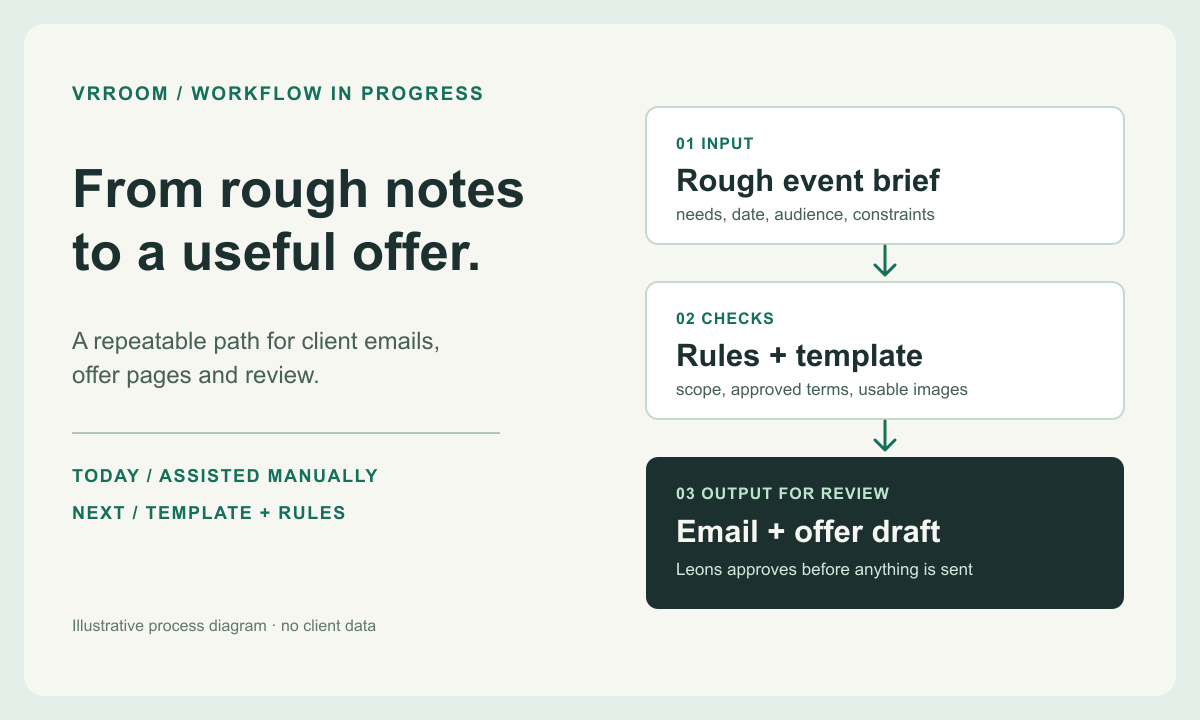
I give an AI assistant the event brief, the relevant facts and the result I need. It helps organise the information, draft a client email and build an editable offer from our visual templates. I then correct the scope and wording, review the design and approve any commercial terms before anything is sent. This already reduces the time I spend starting from a blank page, but it still depends on asking the assistant directly and checking each draft.
The pieces already exist
VRRoom has a client-email structure, rules for separating confirmed facts from assumptions and reusable layouts for concise event offers. We have used those to prepare internal email and offer drafts, including illustrated one-page concepts. The templates help keep the result consistent; they do not make a draft automatically correct or approved for a client.
What changed for me
Before, I usually sent a carefully structured email. A designed PDF offer would have taken too much time to make for a normal enquiry. Now I can prepare a visual offer as well as a clear, friendly email, then review both before sending. The PDF also gives an agency presentation material it can use with less reworking. I have not measured how much time that saves the agency.
I also use the assisted process to record event information in my calendar and working notes. That helps me keep track of details and replies. It remains a process I direct and check, rather than an unattended system.
The next build
A simple intake could ask only for the facts needed to begin: the client’s goal, event date and location, audience, activities under consideration, constraints and preferred language. A rules layer would flag missing information and prevent an unapproved price, availability promise or inclusion from slipping into the output. From there, the workflow could prepare a reply and a visual offer draft in the selected template, with suitable approved photos or clearly labelled illustrative images where useful.
The result would be a review queue, not an automatic send button. I would still decide the final scope, price, images and wording, then approve the recipient and message before delivery. That is especially important when a real client’s information or a commercial commitment is involved.
Time spent: my estimate
For a simple enquiry, writing the offer email used to take me about 10–30 minutes. With the assisted process, a first draft can take about two minutes, plus roughly two minutes of edits. For an enquiry needing research or a custom solution, I used to spend about 1–3 hours. Now that work is often around 10–15 minutes and can take up to 30 minutes when it is large.
These are my retrospective estimates from October 2026, not timed tests. The old output was usually an email; the new one can also include a designed PDF. That extra deliverable makes a direct speed comparison imperfect. I have not measured monthly hours saved, the effect on error rates, or the agency’s time saved. The next step is to time several comparable enquiries, including my review and corrections.
This is an internal VRRoom workflow being developed by Leons Dambitis, who runs VRRoom. It is an example of how Adaptenda approaches a practical business process, not a claim that a finished self-service product is available today.